Integrating Pipedrive with AI: Boosting Sales Team Efficiency
What is Pipedrive? Pipedrive is a sales CRM built around a visual, drag‑and‑drop pipeline that helps teams focus on the next best action. It’s designed...
What is Pipedrive?
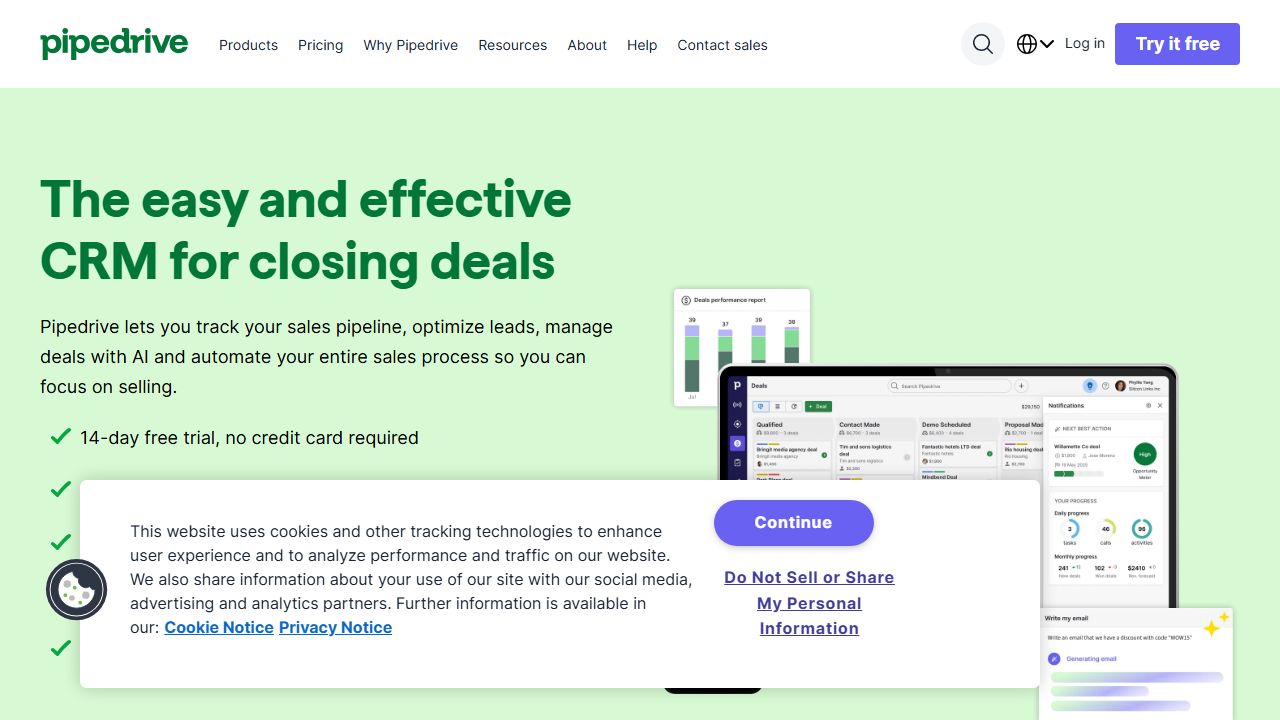
Pipedrive is a sales CRM built around a visual, drag‑and‑drop pipeline that helps teams focus on the next best action. It’s designed for small to mid‑market sales motions, but I’ve seen it scale surprisingly well for AI startups selling enterprise pilots, data licensing, and integrations. Where heavyweight CRMs slow you down, Pipedrive keeps reps in a Kanban-style board with activities, email, and reporting all in one place. If you’re running fast GTM experiments for an AI product and need a system your team will actually use, Pipedrive is a strong contender. Official site: https://www.pipedrive.com
Key Features and Capabilities
- 🌿
Visual Pipelines and “Activities-first” UX: Deals move across customizable stages (e.g., “Initial Demo,” “Security Review,” “Legal Redlines,” “Pilot,” “Expansion”). I add custom fields like Data Sensitivity, Deployment Model (SaaS vs. VPC), and Estimated Compute to qualify AI deals. “Activities” (calls, emails, tasks) stay front and center so nothing rots.
- 🌿
Workflow Automation: Pipedrive’s automation builder lets me trigger actions on events like “deal moved to stage” or “field updated.” Example: when “Security Review” starts, auto-create a checklist of tasks (DPA, SOC 2 package, LLM usage disclosures) and assign to RevOps. Another: when a “Pilot” closes, push a webhook to my data warehouse and post to Slack via an integration.
- 🌿
LeadBooster (add-on): Combines a web chatbot, live chat, web forms, Scheduler, and a Prospector database. I use the chatbot to route inbound questions about API limits or on-prem support to the right pipeline, and Prospector to build targeted lists (e.g., “Directors of Data Platform at Series B–D fintechs”) for outbound.
- 🌿
Email & Calendar Sync + Tracking: Two‑way sync with Google or Microsoft, email templates, open/click tracking, and group emailing. For AI sales, I keep templates for model eval follow-ups and security questionnaires. The built‑in Scheduler reduces back‑and‑forth for demos and model deep dives.
- 🌿
Insights & Forecasting: The “Insights” module gives pipeline velocity, win rates by segment, and forecast views. I segment by use case (RAG, agents, vision), industry, and deployment to see which motions are converting. For post‑pilot expansion, I track time from “Pilot complete” to “Annual commit.”
- 🌿
Smart Docs (add-on) and eSignatures: Generate quotes and proposals from deal data and get eSignatures without leaving Pipedrive. I embed pricing tiers (seats, tokens, inference limits) and keep templates for Procurement vs. Legal packages.
- 🌿
AI Sales Assistant: Pipedrive’s assistant surfaces stalled deals, recommends next activities, and flags anomalies (e.g., too many days in stage). It’s not a “copilot” for everything, but it’s useful for nudging reps on pipeline hygiene.
- 🌿
API and Marketplace: REST API plus hundreds of apps (Zapier, Make, Slack, Jira, Stripe, Outfunnel, Klenty). I push product telemetry (events like “API key created,” “10k requests in 24h”) into custom fields and trigger automations when usage crosses thresholds.
Getting Started
- 🌿Start a trial at https://www.pipedrive.com and create your first pipeline. Name stages after your real process (e.g., “Qualify → Technical Eval → Security → Legal → Pilot → Close”).
- 🌿Define custom fields for AI-specific qualification: Deployment Model, Data Sensitivity, PII present (Y/N), Inference Budget, Buyer Type (Platform vs. Product Team).
- 🌿Connect Google/Microsoft email and calendar. Turn on email tracking and set up a “Demo” Scheduler link.
- 🌿Import existing contacts/deals via CSV. Map columns to your custom fields; create multiple pipelines if you run both Enterprise and Self-serve motions.
- 🌿Build 2–3 core automations: auto-create security tasks on stage change; alert Slack on “Pilot Won”; set due dates when an activity is missed.
- 🌿Install add-ons as needed: LeadBooster (chatbot + forms) for inbound triage, Smart Docs for quotes, Projects for onboarding handoff.
- 🌿Create an Insights dashboard: win rate by industry, time-in-stage for “Security” and “Legal,” pilot-to-annual conversion, expansion rate.
- 🌿Hook up your data: via API or Zapier/Make, send product events into custom fields or notes; use webhooks to keep your warehouse in sync.
Real-World Use Cases
- 🌿
Enterprise AI Pilots: Track complex evaluations with multiple stakeholders. Use custom fields for compliance requirements, attach model eval reports, and auto-task legal/security. The AI Sales Assistant pings reps when “Security” sits too long, and Insights shows where deals stall.
- 🌿
Product-led Growth with Expansion: For an API-first AI tool, pipe signups into a “PLG” pipeline. Push usage signals (tokens consumed, endpoints called) to drive automations—when a team crosses usage thresholds, create an expansion deal and notify the AE.
- 🌿
Data Partnerships and Procurement: Manage negotiations with data vendors or GPU providers. Keep key fields (data licensing terms, jurisdiction restrictions, GPU unit economics), generate docs with Smart Docs, and forecast spend vs. value with Insights.
Pros and Cons
Advantages:
- 🌿Fast, intuitive pipeline UI that reps actually adopt.
- 🌿Strong automation for a lightweight CRM; easy to wire into Slack, data tools, and product events.
- 🌿LeadBooster’s chatbot/forms + Prospector cover both inbound capture and targeted outbound.
- 🌿Solid reporting (Insights) and forecasting without heavy admin overhead.
Limitations:
- 🌿No true custom objects; you’re working with deals, leads, people, orgs, activities, products, and projects—workarounds can get hacky at scale.
- 🌿Native sequencing/cadence is limited; you’ll likely add a sales engagement tool for advanced outreach.
- 🌿Add-ons (LeadBooster, Smart Docs, Web Visitors, Campaigns) can stack costs if you need the full suite.
How It Compares to Alternatives
Compared to HubSpot, Pipedrive is lighter and cheaper to operate, but HubSpot’s marketing automation, AI content tools, and native sequences are stronger. Versus Salesforce, Pipedrive wins on speed and admin simplicity; Salesforce still dominates for complex, multi-object enterprise workflows and compliance. Zoho CRM offers breadth and aggressive pricing, though the UX can feel heavier. If calling and sequences are your core, Close has a superior power dialer and inbox. For teams already on work management, Monday Sales CRM is flexible but less purpose-built for sales.
Pricing and Value
Pipedrive uses per‑user, per‑month pricing across five tiers (Essential, Advanced, Professional, Power, Enterprise), plus optional add‑ons like LeadBooster, Smart Docs, Projects, Campaigns, and Web Visitors. The sweet spot for most AI sales teams is Advanced or Professional for better automations and reporting. Add-ons are worth it if they replace other tools (e.g., chatbot, eSign). See current pricing and bundles on https://www.pipedrive.com.
Final Verdict
If you’re an AI startup or growth-stage team that needs a CRM your reps won’t hate—and you want enough automation to operationalize product signals, pilots, and expansions—Pipedrive is a great fit. I recommend it for enterprise pilot pipelines, PLG expansion tracking, and partnership/vendor negotiations. If you need deep marketing automation or enterprise-grade custom objects, evaluate HubSpot or Salesforce alongside it. Otherwise, Pipedrive lets you move fast without drowning in admin.
Explore Pipedrive
Visit the Source🌻